GOOGLE SHEETS BUDGET
A Google Sheets budget you'll still use in December
Most budget spreadsheets are abandoned by March. Not because of willpower — because they're built like a form you fill in once: totals typed by hand, a new tab every month, and nothing that tells you when you're over.
A budget that lasts is built the other way round. You write down what you spent, one line at a time. Google Sheets does the rest — plan versus actual for any month, savings goals, a yearly view, even a check against your bank balance.
What you'll be able to do
- A Settings tab with 8–15 categories that actually make sense
- A Transactions log where Month and Type fill themselves
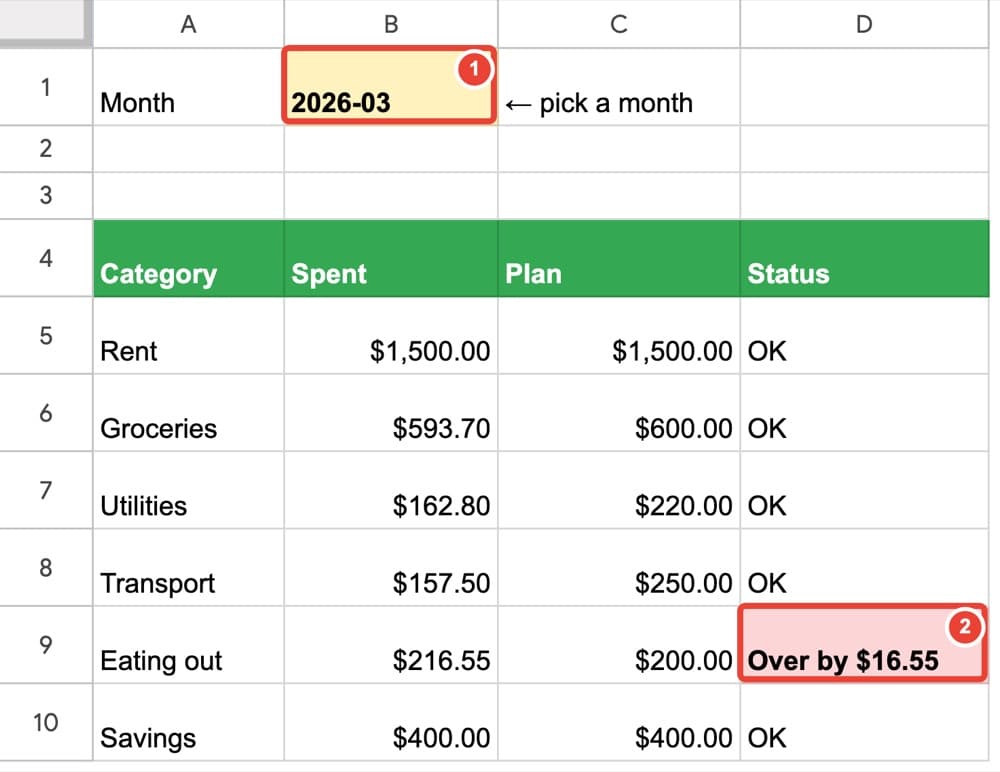
- A monthly report that says "OK" or "Over by $16.55" — change one cell to switch months
- Savings goals that tell you how much to put aside each month
- A yearly view with one formula, red flags for unusual months, and a chart
- Bank-statement import with rules that categorize purchases automatically
- A small-business version: income by channel, profit and a tax set-aside
- A 15-minute monthly routine, and fixes for the 10 problems that quietly break budgets
Free: which spreadsheet problem do you have?
A 6-page PDF: ten everyday Google Sheets problems and the short book that fixes each one.
Get the free overviewAlso: Google Sheets for beginners — learn it by building one real sheet · Google Sheets formulas — the 8 you actually need